
ClickUp
All-in-one productivity platform for tasks, docs, goals, and team collaboration
project managementtask managementcollaboration
View details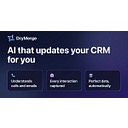
A tool to automate repetitive tasks.
DryMerge is an AI-native automation tool designed to maintain CRM accuracy by monitoring emails, calendars, and calls. The platform features background AI agents that capture context, relationship dynamics, and deal insights to update custom objects and fields automatically. It serves sales and account management teams by integrating with over 50 apps like Slack and Teams. Pricing tiers include Basic, Professional, and Enterprise plans with varying integration limits (verified: 2026-01-29).
Pricing
Freemium (as of Jan 29, 2026)
Use cases
Sales teams needing to automate CRM updates by monitoring email, calendar, and call transcripts for deal insights (verified: 2026-01-29), Account managers requiring continuous background monitoring of business communications to capture relationship dynamics and next steps (verified: 2026-01-29), Organizations seeking to integrate over 50 business applications like Slack and Teams to sync data into a central CRM (verified: 2026-01-29)
Strengths
The platform operates 24/7 in the background without requiring users to learn a new interface or change existing workflows (verified: 2026-01-29), AI agents capture context and relationship dynamics rather than just activity logs, allowing for updates to custom objects and fields (verified: 2026-01-29), The system supports extensive integrations with over 50 business apps including Gmail, Outlook, Slack, and Microsoft Teams (verified: 2026-01-29)
Limitations
The Basic plan restricts users to a single email inbox and one calendar integration with a limit of 100 updates (verified: 2026-01-29), Call transcript integration and advanced AI models are gated behind the Professional and Enterprise tier subscriptions (verified: 2026-01-29)
Last verified
Jan 29, 2026
Use these links to move from this review into compare and task workflows before committing to a tool stack.
Compare • Browse by task • Guides • Tools • Deals
Priority tasks: Content writing tasks • Code generation tasks • Video generation tasks • Meeting notes tasks • Transcription tasks
Priority guides: AI SEO tools guide • AI coding tools guide • AI video tools guide • AI meeting notes guide
As of Jan 29, 2026, our profile recorded: DryMerge uses AI agents that constantly monitor your email, calendar, and calls to capture details, context, and next steps. It automatically updates your CRM system with this information, working in the background so your team uses their existing apps as usual (verified: 2026-01-29). Verify current details on the vendor site.
As of Jan 29, 2026, our profile recorded: DryMerge integrates with over 50 business applications, including Gmail, Outlook, Slack, and Microsoft Teams. These integrations allow the AI to pull relationship data from various sources and sync it directly into CRM platforms like Salesforce and HubSpot (verified: 2026-01-29). Verify current details on the vendor site.
As of Jan 29, 2026, our profile recorded: The Basic plan includes one email and calendar integration with 100 monthly updates, while the Professional plan increases this to five integrations each and 5,000 updates. Professional also adds call transcript integration and access to advanced AI models (verified: 2026-01-29). Verify current details on the vendor site.
All-in-one productivity platform for tasks, docs, goals, and team collaboration

AI-powered collaborative whiteboard and innovation workspace for teams

AI email productivity tool that saves 12-14 hours per month on email time

AI calendar that protects focus time, optimizes meetings, and improves work-life balance

AI-powered productivity app that auto-schedules tasks and optimizes calendars

All-in-one playbook platform to document processes, onboard faster, and train consistently