
ClickUp
All-in-one productivity platform for tasks, docs, goals, and team collaboration
project managementtask managementcollaboration
View details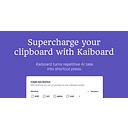
A tool to perform text tasks using customizable keyboard shortcuts.
Kaiboard is a productivity tool designed to automate repetitive AI tasks through customizable keyboard shortcuts. It features predefined commands for translation, slide outlining, and text formatting while allowing users to create bespoke shortcuts for grammar and email management. The tool is built for professionals and developers seeking to streamline their clipboard workflows on macOS, Windows, and Linux. (verified: 2026-01-29)
Pricing
Freemium (as of Jan 30, 2026)
Use cases
Content creators needing to convert unstructured text into formatted bullet points for presentations using keyboard shortcuts (verified: 2026-01-29), Multilingual teams performing frequent text translations into English while maintaining the original tone of the source material (verified: 2026-01-29), Software developers and professionals automating grammar checks and email drafting through custom defined shortcut commands (verified: 2026-01-29)
Strengths
Users can create custom shortcuts to automate specific repetitive AI tasks tailored to their individual workflow requirements (verified: 2026-01-29), The software provides predefined shortcuts for common tasks such as generating slide outlines and converting text to bullet points (verified: 2026-01-29), Cross-platform support is available for macOS users with beta versions currently accessible for Windows and Linux operating systems (verified: 2026-01-29)
Limitations
Windows and Linux versions are currently in beta status which indicates they are still in active development (verified: 2026-01-29), The tool requires users to memorize specific keyboard combinations like shift+ctrl+T to execute the automated AI functions (verified: 2026-01-29)
Last verified
Jan 30, 2026
Use these links to move from this review into compare and task workflows before committing to a tool stack.
Compare • Browse by task • Guides • Tools • Deals
Priority tasks: Content writing tasks • Code generation tasks • Video generation tasks • Meeting notes tasks • Transcription tasks
Priority guides: AI SEO tools guide • AI coding tools guide • AI video tools guide • AI meeting notes guide
As of Jan 30, 2026, our profile recorded: Kaiboard is fully supported on macOS and offers beta versions for users on Windows and Linux platforms. This allows users across different desktop environments to access AI-driven clipboard shortcuts for their daily tasks (verified: 2026-01-29). Verify current details on the vendor site.
As of Jan 30, 2026, our profile recorded: Yes, users have the ability to define their own shortcuts beyond the predefined options. This feature allows for the automation of unique tasks such as code control, spelling checks, and email drafting (verified: 2026-01-29). Verify current details on the vendor site.
As of Jan 30, 2026, our profile recorded: No credit card is required to try the service. Users can get started for free to explore the predefined shortcuts and custom automation features available within the application (verified: 2026-01-29). Verify current details on the vendor site.
All-in-one productivity platform for tasks, docs, goals, and team collaboration

AI-powered collaborative whiteboard and innovation workspace for teams

AI email productivity tool that saves 12-14 hours per month on email time

AI calendar that protects focus time, optimizes meetings, and improves work-life balance

AI-powered productivity app that auto-schedules tasks and optimizes calendars

All-in-one playbook platform to document processes, onboard faster, and train consistently