
ClickUp
All-in-one productivity platform for tasks, docs, goals, and team collaboration
project managementtask managementcollaboration
View details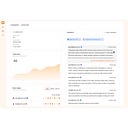
A tool to automate note-taking for meetings.
Wudpecker is an AI-powered meeting assistant designed to automate note-taking and knowledge extraction. The tool captures discussions from Zoom, Google Meet, and Microsoft Teams, providing personalized notes, transcriptions in 39 languages, and a contextual AI assistant for querying meeting data. It serves product managers and teams who need to organize call collections and integrate meeting insights into their existing tech stack (verified: 2026-01-29).
Pricing
Freemium (as of Jan 30, 2026)
Use cases
Product managers needing to extract specific user insights from recorded Zoom, Google Meet, or Microsoft Teams discussions (verified: 2026-01-29), Teams requiring automated meeting digests that follow a specific personalized structure for faster information scanning (verified: 2026-01-29), Global organizations conducting meetings in multiple languages that require transcription and notes in up to 39 different languages (verified: 2026-01-29)
Strengths
The platform supports automated note-taking and transcription for Zoom, Google Meet, and Microsoft Teams across 39 different languages (verified: 2026-01-29), Users can provide specific instructions to the AI to format meeting notes into personalized structures that match their preferred workflow (verified: 2026-01-29), The Ask Wudpecker feature allows users to brainstorm and develop ideas using contextual information extracted directly from meeting discussions (verified: 2026-01-29)
Limitations
The Free plan limits users to 10 meetings per month with the notetaker bot and 3 Ask AI questions per recording (verified: 2026-01-29), Advanced integrations with Notion, Slack, and HubSpot are restricted to the paid Plus and Pro subscription tiers (verified: 2026-01-29)
Last verified
Jan 30, 2026
Use these links to move from this review into compare and task workflows before committing to a tool stack.
Compare • Browse by task • Guides • Tools • Deals
Priority tasks: Content writing tasks • Code generation tasks • Video generation tasks • Meeting notes tasks • Transcription tasks
Priority guides: AI SEO tools guide • AI coding tools guide • AI video tools guide • AI meeting notes guide
As of Jan 30, 2026, our profile recorded: Wudpecker integrates directly with Zoom, Google Meet, and Microsoft Teams. It uses a notetaker bot to join these sessions, capture the audio, and generate automated notes and transcriptions for the participants (verified: 2026-01-29). Verify current details on the vendor site.
As of Jan 30, 2026, our profile recorded: The Free plan provides 10 meetings per month with the notetaker bot and allows for 3 Ask AI questions per recording. While it includes transcription for 39 languages, it lacks the automated joining features and CRM integrations found in paid tiers (verified: 2026-01-29). Verify current details on the vendor site.
As of Jan 30, 2026, our profile recorded: Users can instruct the AI to follow specific structures for their notes, ensuring the output matches their professional needs. This allows for tailored knowledge extraction and the creation of concise meeting digests from long recordings (verified: 2026-01-29). Verify current details on the vendor site.
All-in-one productivity platform for tasks, docs, goals, and team collaboration

AI-powered collaborative whiteboard and innovation workspace for teams

AI email productivity tool that saves 12-14 hours per month on email time

AI calendar that protects focus time, optimizes meetings, and improves work-life balance

AI-powered productivity app that auto-schedules tasks and optimizes calendars

All-in-one playbook platform to document processes, onboard faster, and train consistently